RoughCut automates your rough cut in DaVinci Resolve Studio.
Transcribes every clip, matches your footage to your shooting script, stacks takes and builds an edit-ready timeline — automatically.
$50 · One-time purchase · No subscription
10 min vs 4–8 hours manually
0 clicks to build your rough cut
Mac + Windows both platforms supported
See It In Action
How RoughCut Works in DaVinci Resolve
Four steps. Zero manual assembly.
01 Organise your Media Pool
Import your footage into DaVinci Resolve as you normally would. Sort Media Pool can organise bins by camera first if needed.
02 Drop your shooting script
Paste or import the script you shot from. RoughCut uses it as the blueprint for your timeline.
03 RoughCut transcribes everything
AI transcribes every clip locally — fast, accurate, no internet upload required. Your footage never leaves your machine.
04 Timeline built automatically
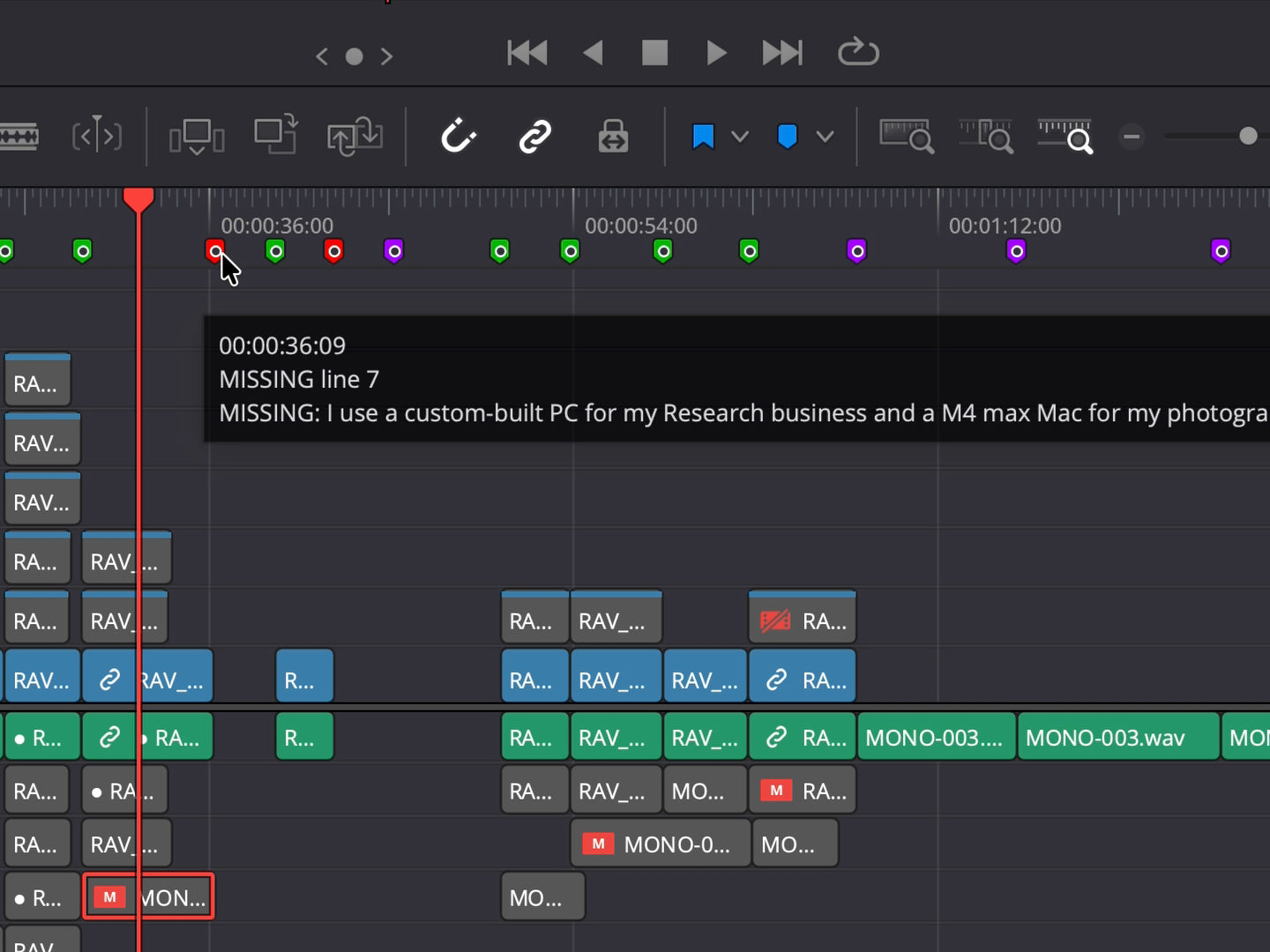
Best takes land on V1. Alternatives stacked on V2 onwards. Green markers for on-script, orange for off-script. Open Resolve and start your creative edit.
What RoughCut Does
🎙AI Transcription
Every clip is transcribed automatically. Runs entirely on your machine — no upload, no subscription, no internet needed.
📝Script Matching
Fuzzy matching finds the right take even with stumbles, restarts and ad-libs. Works with real-world footage.
🎬Take Stacking
Best take on V1. All alternatives stacked on V2 onwards. Nothing is thrown away.
📍Smart Markers
Green markers confirm on-script sections. Orange markers flag improvised moments. Navigate your timeline instantly.
🎥Any Footage
Works with any footage in your Media Pool — BRAW, Canon, Sony, iPhone, drone. If Resolve can read it, RoughCut can use it.
⚡Runs Locally
Everything happens on your Mac or PC. No cloud upload, no subscription. Your footage never leaves your machine.
📄TXT & SRT Scripts
Your script can be a plain .txt file or an .srt subtitle file. No special format needed.
Watch How It Works
Frequently Asked Questions
Q. How do I get access to RoughCut?
Buy RoughCut at drrave.com/tools/roughcut for $50. Download and install on Mac or Windows — your license works on up to 2 devices.
Q. How much does RoughCut cost?
$50 one-time purchase. No subscription, no recurring fees. Includes both Mac and Windows. License works on up to 2 devices.
Q. What script format does RoughCut accept?
Plain text (.txt) with one sentence per line, or .srt subtitle files. Export your script from any writing app as .txt and you're ready.
Q. Does it work with external audio recorders?
Yes — any external audio in your Media Pool works. WAV, MP3, AAC and more. Compatible with Rode, DJI, Zoom, Tascam and any recorder ffmpeg can read.
Q. What footage does it support?
RoughCut works with any footage DaVinci Resolve can read — BRAW, ProRes, H.264, H.265, RAW formats, iPhone, drone footage and more. If it's in your Media Pool, RoughCut can use it.
Q. Does it need an internet connection?
Only during installation — to download the AI transcription engine. After that everything runs locally on your Mac or PC. Your footage never leaves your machine.
Q. Is Sort Media Pool included with RoughCut?
Sort Media Pool is a separate free tool. RoughCut is a paid Mac + Windows tool, $50 one-time. Both tools work together as part of the DrRave edit workflow.